AppId is over the quota
UltraEdit 19 is a feature-rich and powerful text editor. It doesn't just have a kitchen-sink list of features. It's got a kitchen sink full of bells and whistles crammed inside another sink. When many developers are focusing on stripped-down software for the exploding mobile and tablet markets, it's nice to see someone out there is still thinking, "But what else can we add?"
This kind of feature overload can result in a confusing and unusable product, one where many users don't even know 90% of the features exist. (Microsoft Word, I'm looking at you.) However, UltraEdit is targeting an audience with many viable editing choices, and so, it is focused on usability as well. You can design, and save, your own interface configuration with a mix of windows, toolbars, and panels, or you can flip to one of the many predefined interfaces, from the stripped-down "Notepad Replacement" to the full-on "Power User."
Having a lot of tools for users, and making them customizable, is a major theme in UltraEdit. Syntax highlighting support for the most commonly used languages is built in, and users have contributed files to handle hundreds of others at http://www.ultraedit.com/downloads/extras.html . Stylistic reformatting, however, is limited to C\C++ and Java.
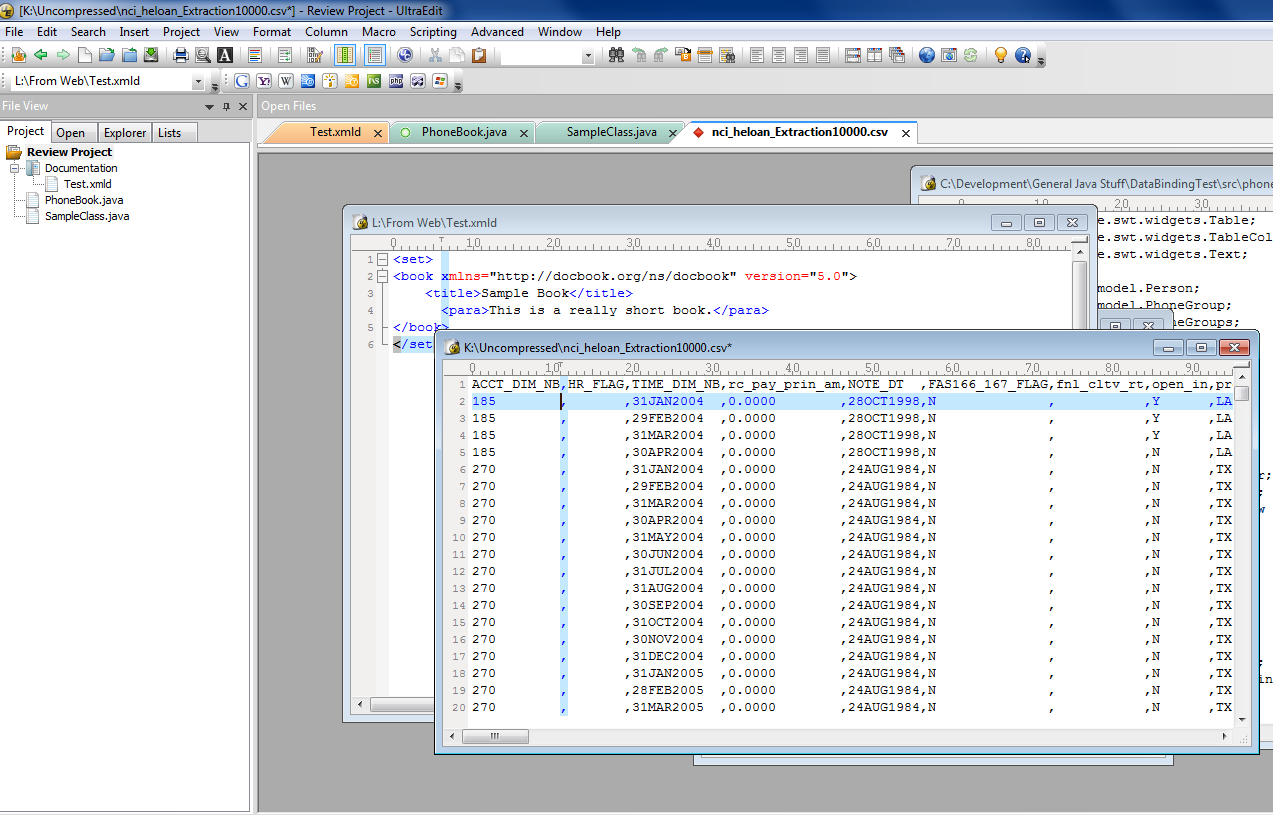 Ultraedit can display CSV files in neatly-aligned columns, a boon for viewing and editing them.
 UltraEdit 19 includes templates for many common structures, and you can easily add your own. This allows for the quick creation of a "skeleton" of boilerplate text or code. The template function inserts a section of text which is "aware" of what needs to be changed or user-defined: It does not simply paste in a static block.
There's usually more than one way to do things, which is good if you have a preferred way, though users with no preference might not know which one to pick. For example, UltraEdit supports three different regular expression syntaxes, which differ in mostly subtle ways.
If the built-in tools and functions weren't enough, UltraEdit has a full-featured macro/scripting engine, using JavaScript. As with syntax-highlighting files, a wide variety of user-contributed scripts are available.
One feature of UltraEdit that may prove useful to those using other text editors is the ability to create projects that organize multiple files. Many excellent text editors, such as Notepad++, are entirely document-centric. UltraEdit has a robust "Project" feature which makes it easy to arrange multiple files, scattered over the disk, into a logical hierarchy. This is especially useful for those whose work requirements involve editing multiple files whose on-disk storage hierarchy may not be at all related to their project hierarchy.
 UltraEdit's colored tabs aid in managing multiple file types in a project.
 Due to the highly kitchen-sink nature of UltraEdit, it is most valuable to those whose work involves a many different types of text editing or file manipulation. The more specialized your tasks, the better the odds a narrowly-focused tool would work for you. UltraEdit is inexpensive for its degree of functionality, however. If you don't have a modern text editor, but need one, or if you are bumping against the limits of the one you are using, UltraEdit is well worth checking out.


